Try HappenBoard live
A real WordPress site with HappenBoard, already filled with events, sign-ups and bookings. It opens right here in about 20 seconds, with nothing to install and no account to create.
Riverside Community Hub, a demo site
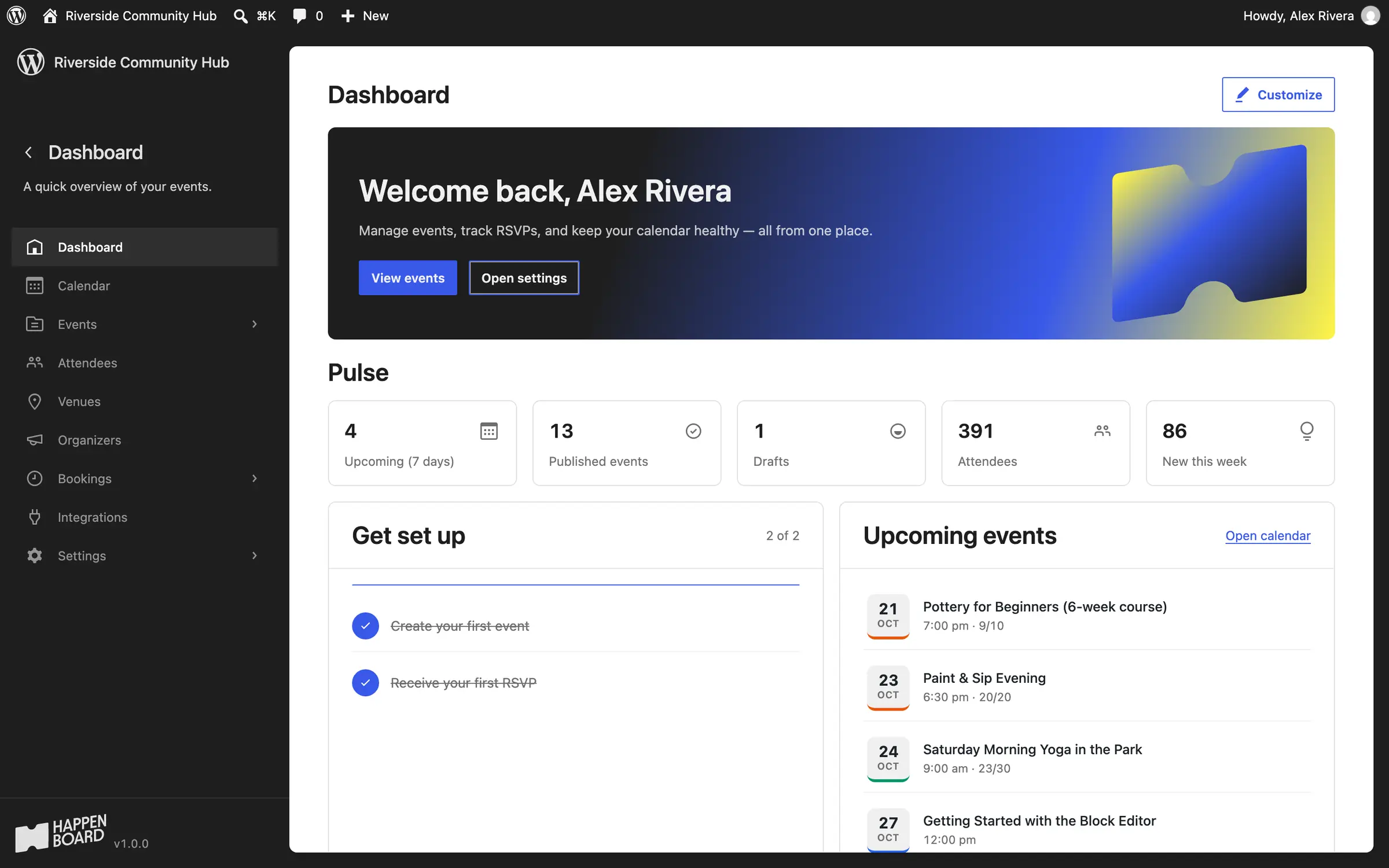
A community centre in Portland with classes, concerts, meetups and one-to-one sessions. Open the website to see what visitors see, or the admin to see what your team works with.
Start the live demo
A real WordPress site with HappenBoard, built in your browser in about 20 seconds. No sign-up.
The demo runs in your browser only. Change anything you like: it is reset when you leave the page.
What to try in the demo
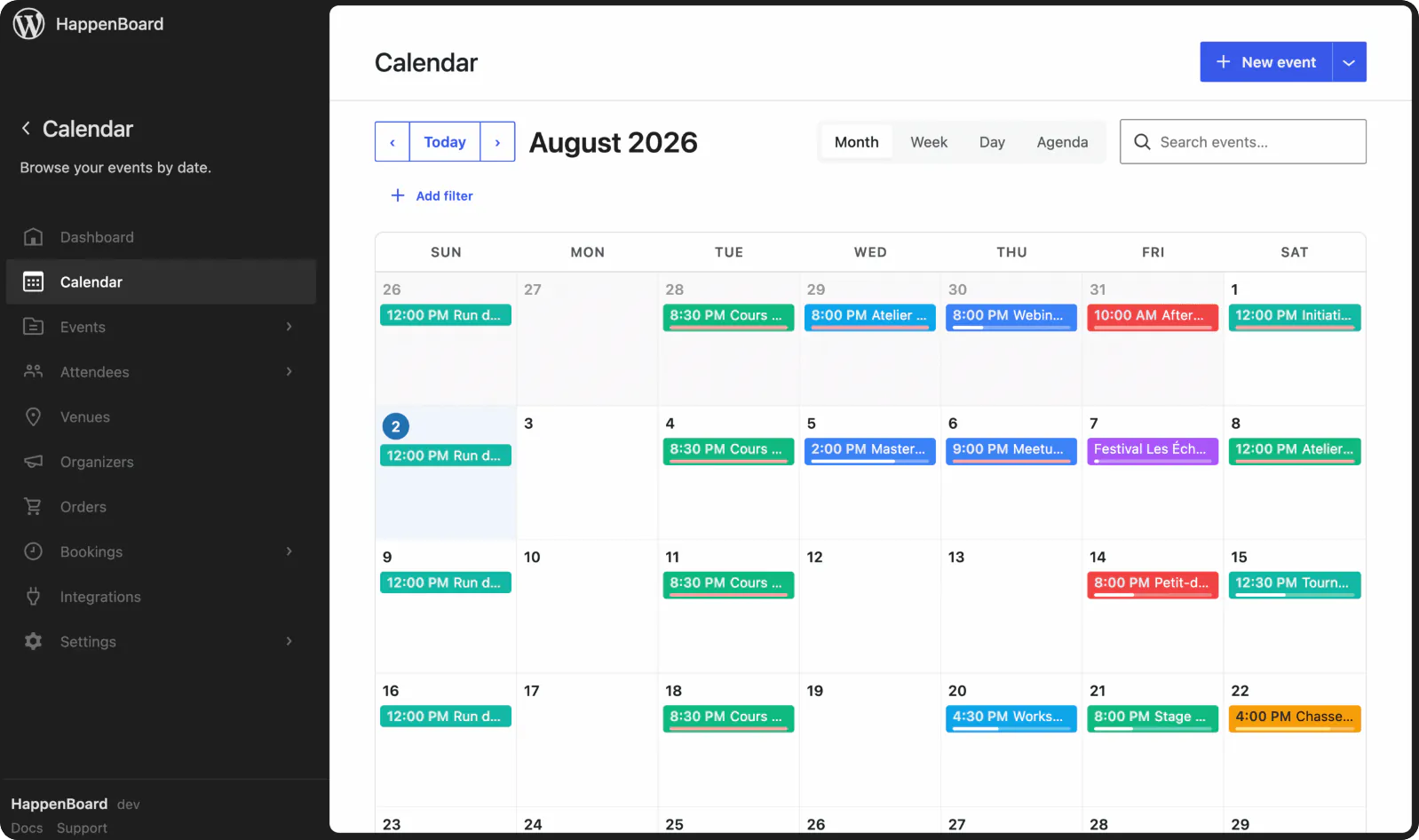
A month of events
Open the calendar: one-off events, a weekly yoga class with one Saturday cancelled, a monthly meetup and a three-day festival.
A sold-out workshop
Paint & Sip Evening is full. Its page says so, and the Attendees screen lists who is going and who is on the waiting list.
Sign up as a visitor
Register for an event with any name and email address. No email leaves the demo.
Book a session
Pick a time for a coaching session or a group pottery class. Slots follow each host’s hours and show in your own time zone.
The admin your team uses
The dashboard, the calendar, the attendees and the bookings, on screens that look like the rest of WordPress.
Edit an event
Change a date, the number of seats or the repeat rule in the block editor, then open the page again.
The demo shows the core. Pro does the selling.
The demo runs the HappenBoard plugin from WordPress.org. HappenBoard Pro, installed next to it, adds ticket sales, payments and the tools for the day itself.
In the demo
Calendar, lists and grids
Month, week, day and agenda views, from 21 blocks.
Recurring events
Weekly, monthly or yearly series, each date with its own seats.
Sign-ups
A seat limit, a confirmation email and a reminder before the event.
Appointment booking
Your hours, days off, buffers and several hosts.
With HappenBoard Pro
Ticket sales
Stripe checkout or WooCommerce. HappenBoard takes 0% of your sales.
PDF e-tickets and check-in
A QR code for every seat, scanned with a phone at the door.
Paid bookings
Card payments or a deposit, with person types and price rules.
Calendar sync and automation
Two-way Google Calendar and Outlook sync, webhooks, Slack and WhatsApp.
You ask.
We answer.
We’re featured in





Is this the real HappenBoard?
Yes. The demo installs the HappenBoard plugin published on WordPress.org, the same one you install on your own site, then adds sample events, sign-ups and bookings.
Why does the demo take about 20 seconds to open?
WordPress Playground builds a complete WordPress site inside your browser, with no server behind it. Nothing is stored on our side, and the site is gone when you leave the page.
Can I try the Pro features?
Not in the demo, which runs the free plugin. Every Pro feature is on the pricing page, and if Pro is not the right fit, we refund you within 14 days.
Can I keep the demo site?
No, it is reset when you leave the page. To start your own site, get HappenBoard and follow the installation guide.
Who can I ask about my project?
Our team answers questions about plans, licences, migrations and sites with several languages. Contact sales and we reply by email.
Turn your calendar into a box office
Sell tickets, take payments and check people in at the door.
Not the right fit? Your money back within 14 days.