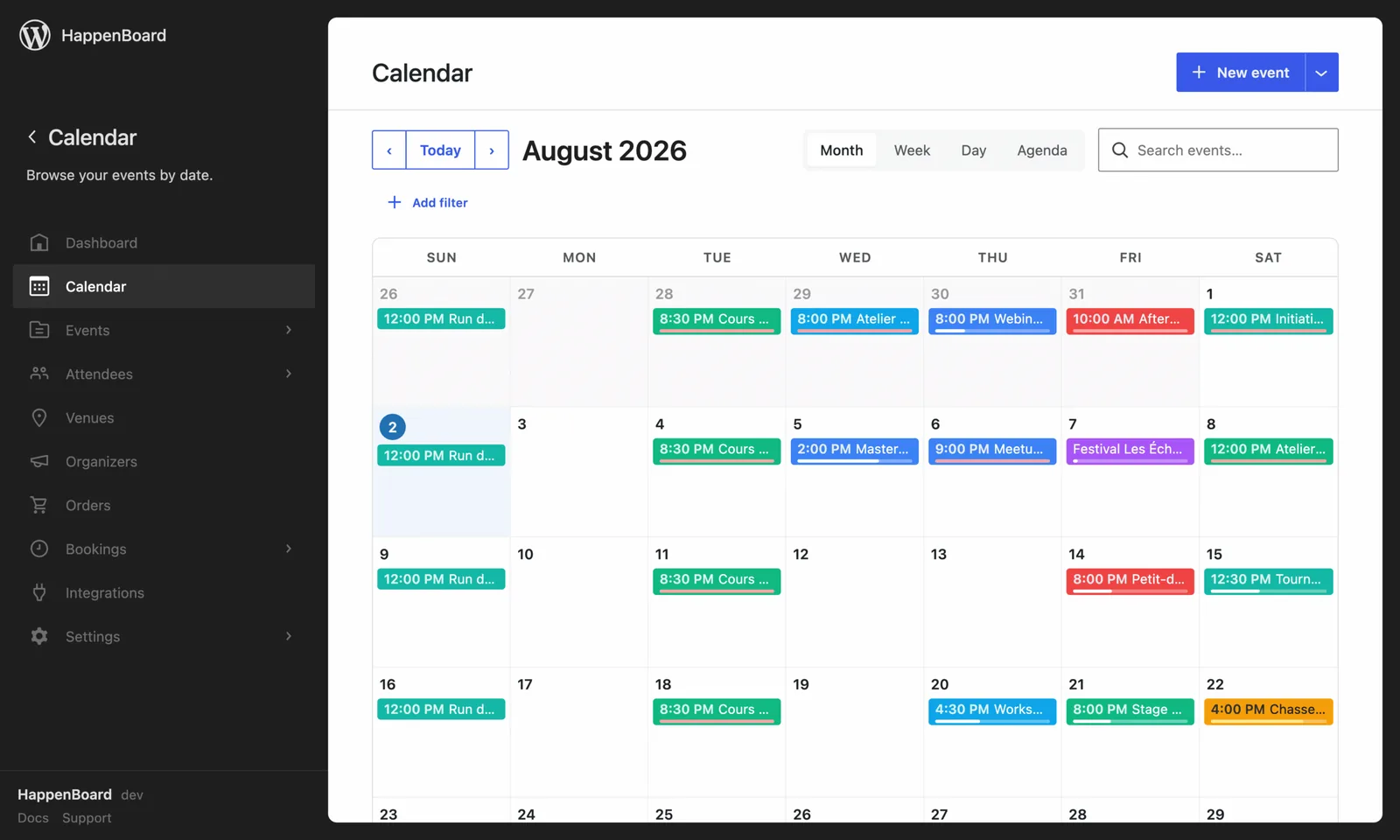
Flexible and risk-free pricing for events and bookings
HappenBoard Pro adds the tools to sell tickets and run the day itself, from Stripe checkout to scanning attendees in at the door.
Built by the team behind SEOPress
1 site
$49
USD
- All features from day one
- Human help & support
3 sites
$99
USD
- All features from day one
- Human help & support
Unlimited
$199
USD
- All features from day one
- Human help & support
Secure checkout by Stripe. Prices are in USD, excluding VAT and may vary by location.
HappenBoard takes
0%
of your ticket sales
Complete features list
Compare plans and choose the right one for you
Free
Pro
Publish
| Events, categories and tagsNo limit on how many events, categories or tags you create, in either plan. | Unlimited | Unlimited |
|---|---|---|
| Blocks for the block editor and the Site EditorFree has 21 blocks, from the calendar to the registration form. Pro adds 10, such as the photo grid, the schedule and the clustered map. | 21 blocks | 31 blocks |
| Calendar, list and grid viewsA month, week, day and agenda calendar, plus event lists and grids. Pro adds a tile view, a timetable and a photo grid. |  | Included, plus tile, schedule and photo grid views |
| Recurring events: daily, weekly, monthly, yearlyWrite the rule once and every date gets its own link and its own seats. With Pro you can skip or move one date. | | Included, plus skipping or moving a single date |
| Import from The Events Calendar, Events Manager, Sugar Calendar, EventKoi, Amelia or any .ics filePreview first, then import, even with the old plugin deactivated. Running it again does not create duplicates. | | |
| GDPR export and erase, spam protection, REST API and WP-CLIPersonal data goes through the WordPress export and erase tools, forms are guarded against spam, and developers get a REST API and WP-CLI commands. | | |
| Two-way sync with Google Calendar and OutlookEvents you publish appear in your Google or Outlook calendar, and events added there come back as drafts every 15 minutes. |  | |
| Custom fields on events and on registration formsAdd your own fields, such as text, number, date, file or a list of choices, to events or to the registration form. | | |
| Let visitors submit their own events, with moderationA form where visitors propose events. Each one waits as pending until you publish or decline it, and the visitor gets an email. | | |
| Maps: clustered map, search by location, map stylingOne map with all your events, their pins grouped by area, and map styles such as Dark, Sepia or Satellite. | | |
| Draft events from one sentence with AIDescribe the event in one sentence and the form fills itself, with your own Anthropic API key. Nothing is saved until you check it. | | |
Promote
| Event Schema for Google rich resultsEach event page tells search engines its dates, place and seats left, so Google can show it as an event. | | |
|---|---|---|
| iCal feeds and add-to-calendar buttonsA feed visitors can subscribe to, a calendar file for each event, and Google and Outlook buttons. | | |
| Multilingual events and venues with WPML and PolylangTranslate events, venues and categories. Calendars and lists show the visitor’s language, and translations share the same seats. | | Included, plus emails in each attendee’s language |
| Filter bar so visitors narrow your event lists themselvesSearch, category, tag, venue, organizer and date filters above your lists, updated without reloading the page. | | |
| MailerPress, SEOPress, Slack and WhatsApp integrationsPost new registrations to Slack, send WhatsApp reminders through Twilio and start MailerPress automations. | | |
Sell
| Free registrations with capacity limits, confirmation and reminder emailsA form on the event page that stops at your seat limit, with a confirmation email and a reminder before the event. | | |
|---|---|---|
| Appointment booking: availability, buffers, days off, round-robin, group bookingsBooking types with your hours, a booking page, and changes or cancellations by the customer. Pro adds shared rooms and equipment. | | Included, plus bookable rooms and equipment with conflict detection |
| Sell tickets and take payment with StripeBuyers pay on Stripe’s secure page and the money goes straight to your own Stripe account, in 16 currencies. | | |
| Sell tickets through WooCommerceEach ticket becomes a WooCommerce product, paid through your store’s checkout and payment methods. | | |
| Orders dashboardEvery order on one screen: search, totals per currency, full or partial refunds and a CSV export. | | |
| PDF e-tickets, ticket designer and printable attendee badgesEach buyer gets a PDF with one QR code per seat, with your logo, colour and font. | | |
| Check attendees in at the door by scanning a QR codeScan tickets with a phone or laptop camera from the WordPress admin. A ticket for another event or date is refused. | | |
| Webhooks to connect your own toolsSend registrations, cancellations and check-ins to your own tools as signed messages, retried if they fail. | | |
Need help? Contact us

Our 100% No-Risk Money Back Guarantee
If HappenBoard Pro isn’t the right fit, contact us within 14 days and we’ll refund 100% of your money. No questions asked.
What you get when you buy
a HappenBoard licence
1
Get help from our team
Our technical team resolves your issues quickly. Support available in English and French.
2
Receive regular updates
New features and fixes delivered often. Activate your key once, then update in one click.
3
Quick setup
Activate it next to the free plugin: every Pro feature is available at once.
4
Lightweight code
No bloated code. Runs on any site with WordPress 6.9+ and PHP 8.2+.
Already on another events plugin?






Preview first, then import, even with the old plugin deactivated. Repeat rules from The Events Calendar, Events Manager 7 and Sugar Calendar come across, and you can export your events to CSV at any time.
You ask.
We answer.
We’re featured in





Do I need coding skills to use HappenBoard?
No. HappenBoard is designed to be user-friendly for everyone, regardless of technical skill level. You can create events, display calendars and manage RSVPs without writing a single line of code. Use our WordPress blocks or Elementor widgets to add a calendar to any page in a few clicks.
What’s included in my licence?
Every HappenBoard Pro feature for one, three or unlimited sites, from paid tickets and QR check-in to calendar sync and automations, plus a year of updates and support from our team, in English and French.
Will HappenBoard slow down my website?
No. HappenBoard ships no bloated code: its blocks are rendered on the server, which keeps event pages fast and readable by search engines, and its data lives in indexed tables.
Do you offer a money-back guarantee?
Yes. If HappenBoard Pro isn’t the right fit, contact us within 14 days and we’ll refund 100% of your money. No questions asked.
Can I migrate from The Events Calendar, Amelia, Sugar Calendar?
Yes, from the admin (a preview first, then the real migration) or with WP-CLI. HappenBoard imports events, venues, organizers and recurrence rules from The Events Calendar, Events Manager, Sugar Calendar, EventKoi and Amelia, plus any .ics file.
What happens when my licence expires?
HappenBoard Pro keeps working on your site and your events stay where they are. Renew your licence to keep receiving updates and support.
See it in action before you buy
Open a real WordPress site with HappenBoard in your browser, with events, sign-ups and bookings already in it.