


HappenBoard or
Sugar Calendar?
HappenBoard vs Sugar Calendar: what each free plugin includes, what the paid plans add and what they cost. For WordPress site owners choosing an events plugin, with facts checked on 16 October 2026.
The 30 seconds overview
1
Recurring events, venues and RSVPs
All three are in HappenBoard Free. Sugar Calendar’s free version points to its paid plans for recurring events, venues and RSVPs.
2
Appointments in the same plugin
HappenBoard Free also takes appointments, with booking types, host hours and self-service changes. Sugar Calendar sells appointment booking as a separate product, Sugar Calendar Bookings.
3
Your events come with you
HappenBoard imports Sugar Calendar events, categories and repeat rules. You preview the import first, and the old plugin can stay deactivated.
HappenBoard vs Sugar Calendar,
side by side
 | Sugar Calendar | |
|---|---|---|
| Free core pluginA plugin you can use without paying |  |  |
| Recurring eventsEvents that repeat on a rule | Free plugin | Paid plans, from Basic |
| VenuesSaved places with an address and a map | Free plugin | Paid plans, from Basic |
| RSVPsFree registrations with a seat limit | Free: RSVP Form block | RSVP add-on, Plus plan and up |
| Appointment bookingBooking types, hosts and opening hours | Free plugin | Separate product: Sugar Calendar Bookings |
| Calendar viewsWays to show events on your site | Free: month, week, day, agenda | Free: month, week, day, list |
| Paid ticketsSelling tickets on your site | Pro: Stripe Checkout or WooCommerce | Free: Stripe, with a 3% fee per order. Event Ticketing add-on (Plus and up): no fee, WooCommerce |
| Google Calendar syncChanges go both ways | Pro, also with Outlook | Free |
| Online meeting linksZoom or Google Meet for online events | Typed in, provider detected | Created for you (Zoom, Google Meet) |
| Visitor event submissionsA public form to propose events | Pro: built-in form | Paid plans, with WPForms, Gravity Forms or Formidable Forms |
| Blocks and ElementorBuilding pages without code | Free: 21 blocks, 8 Elementor widgets | Free: calendar and list blocks, Elementor widgets |
| RequirementsMinimum WordPress and PHP versions | WordPress 6.9, PHP 8.2 | WordPress 6.2, PHP 7.4 |
Need help?
Where HappenBoard and Sugar Calendar are really similar
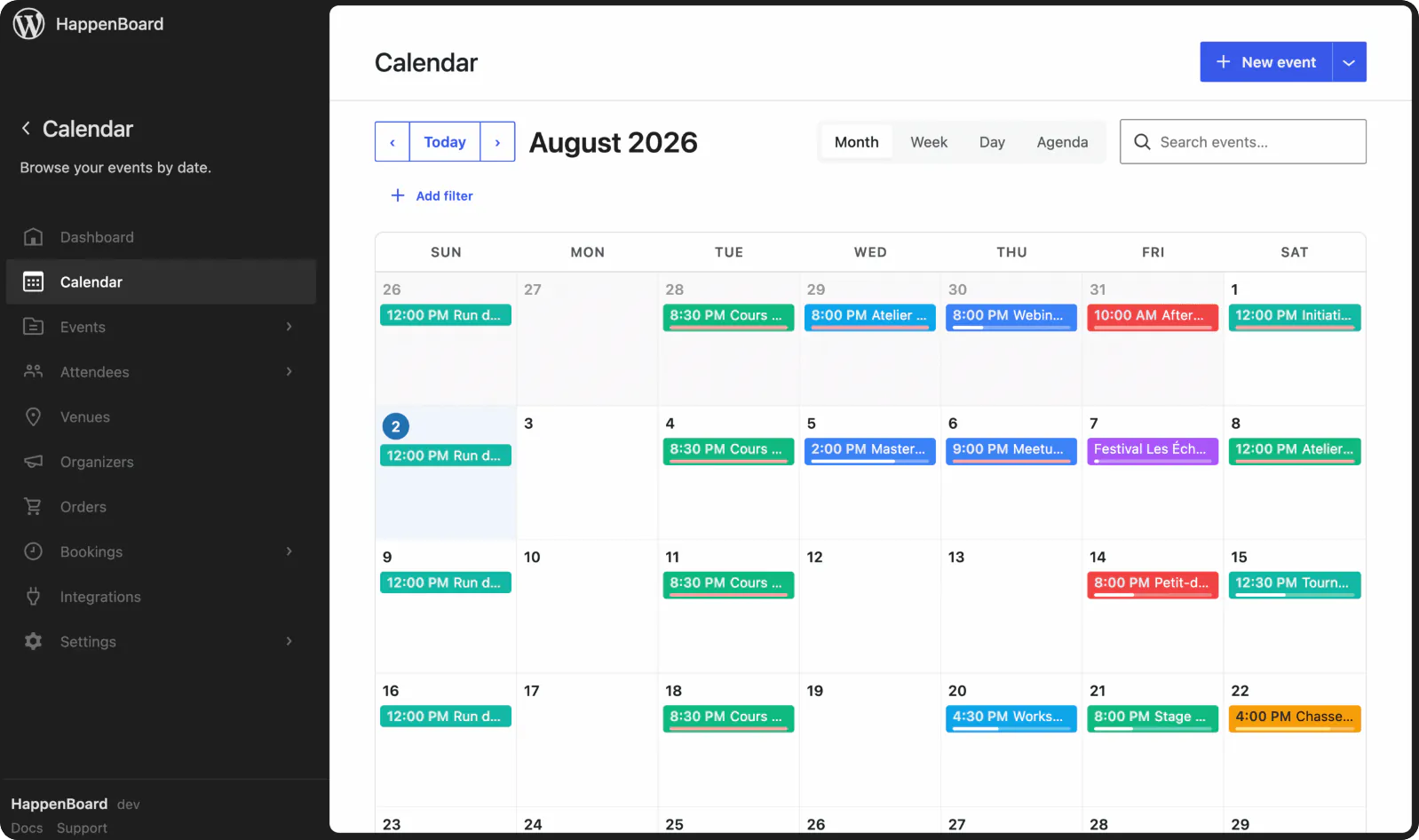
Month, week and day views
Both calendars let visitors switch between month, week and day views.

Blocks and Elementor widgets
Both add calendars and event lists with blocks in the editor or with Elementor widgets.

Tickets with Stripe or WooCommerce
Both sell tickets through Stripe or a WooCommerce store, and both can issue free tickets.

Event structured data
Both print JSON-LD structured data for events, online events included.

Import from The Events Calendar
Both can bring your events across from The Events Calendar.

AI through the Abilities API
Both register their actions with the WordPress Abilities API, so AI assistants can work with your events.
Four differences that actually matter
We picked the four points where the two plugins differ most for a site owner looking for an alternative to Sugar Calendar.
Pricing
Recurring events and venues
Most calendars mix one-off dates with series held at the same place.
HappenBoard Free includes both. Rules repeat daily, weekly, monthly or yearly with seats counted per date, and each venue gets its own page listing its upcoming events.
Sugar Calendar includes them in its paid plans. Its WordPress.org page lists recurring events and venues as Pro features, and its pricing page includes them from the Basic plan: $49.50 for the first year, then $99.00 a year (16 October 2026).
Registrations
RSVPs
Free events still need a guest list and a seat limit.
HappenBoard Free has an RSVP Form block. It takes a name, an email and up to 20 seats per registration, shows the seats left, and sends a confirmation, a reminder and a cancellation link.
Sugar Calendar offers RSVPs as an add-on. Its RSVP add-on comes with the Plus, Pro and Elite licences; Plus is listed at $99.50 for the first year, then $199.00 a year.
Scope
Appointment booking
Classes and events often sit next to one-to-one sessions.
HappenBoard Free takes appointments in the same plugin. Booking types set the length, buffers and approval, each host has weekly hours, and customers cancel or move their own booking.
Sugar Calendar sells it as a separate product. Sugar Calendar Bookings has its own plans, from $49.50 for the first year, then $99.00 a year for Basic (16 October 2026).
Tickets
Ticket fees
A fee on each order changes what every sale brings in.
HappenBoard sells tickets with Pro. Buyers pay on a hosted Stripe Checkout page (cards) or through WooCommerce, and each seat gets a QR code on a PDF ticket.
Sugar Calendar sells tickets from its free version. Its pricing page lists a 3% service fee per Stripe order unless you add the Event Ticketing add-on, available on Plus and above, which also adds WooCommerce.
What you actually pay
What it costs to get each feature, in US dollars, as listed on each plugin’s website on 16 October 2026.
| Usage | | Sugar Calendar |
|---|---|---|
| Recurring events and venues | $0, free plugin Best price | Basic: $49.50 the first year, then $99.00 a year |
| RSVPs | $0, free plugin | Plus: $99.50 the first year, then $199.00 a year |
| Appointment booking | $0, free plugin | Sugar Calendar Bookings Basic: $49.50 the first year, then $99.00 a year |
Prices in US dollars as listed on sugarcalendar.com on 16 October 2026, shown at 50% off as special introductory pricing; renewals are at full price. Basic and Plus cover one site, Pro three and Elite ten. HappenBoard Free costs nothing; HappenBoard Pro prices are on our pricing page.

Good to know
HappenBoard Free covers recurring events, venues, RSVPs and appointments at no cost. If you sell tickets, compare HappenBoard Pro with Sugar Calendar’s free Stripe checkout and its 3% fee per order.
When Sugar Calendar is the right choice

Meeting links created for you
Sugar Calendar connects to your Zoom or Google account and creates the meeting from the event editor. HappenBoard stores the link you type in.

Google Calendar sync without a licence
Its free version syncs events both ways with Google Calendar. In HappenBoard, Google Calendar and Outlook sync are Pro features.

A few paid tickets, no licence
Its free version sells tickets through Stripe with a 3% fee per order, and issues free tickets without a payment provider. HappenBoard needs Pro for any ticket.
HappenBoard in numbers
21
server-rendered blocks
11
ready-made patterns
5
built-in importers
4
calendar views
8
Site Editor templates
How to migrate from Sugar Calendar to HappenBoard
1
Install HappenBoard
Install and activate HappenBoard Free. You can deactivate Sugar Calendar first: HappenBoard reads its events straight from the database.
2
Preview the import
Open HappenBoard → Settings → Migration (or step 3 of the setup wizard), check the counts found, then click Preview (dry run).
3
Migrate for real
Click Migrate for real. Events, categories and repeat rules come across in batches of 50, and a second run skips what is already there.
4
Check what stays behind
Venues, organizers and attendees are not imported from Sugar Calendar, and old addresses are not redirected. Add your venues in HappenBoard and redirects in your SEO plugin.
You ask.
We answer.
We’re featured in





Can HappenBoard import my events from Sugar Calendar?
Yes. It copies events with their content, featured image, categories, dates and repeat rule. Venues, organizers and attendees stay behind, and event time zones are not carried over.
Does Sugar Calendar need to stay active during the import?
No. HappenBoard finds Sugar Calendar’s data in the database, so you can deactivate the old plugin first. Run Preview (dry run) to see what will come across before you migrate.
Are RSVPs free in HappenBoard?
Yes. The RSVP Form block takes free registrations with a seat limit, and attendees get a confirmation with a calendar file, a reminder and a cancellation link. Custom questions on the form come with Pro.
Can I sell tickets with HappenBoard Free?
No. HappenBoard Free takes free RSVPs with a seat limit, a reminder and a cancellation link. Ticket types, payment by Stripe Checkout or WooCommerce, PDF e-tickets and QR check-in come with HappenBoard Pro.
Does HappenBoard sync with Google Calendar?
With HappenBoard Pro, events sync both ways with Google Calendar and Outlook, and changes made in the calendar are pulled every 15 minutes. HappenBoard Free publishes an iCal feed and a calendar file for each event.
Will my old event addresses keep working?
Not on their own. Imported events get new addresses built from their titles, under /events/ by default, and HappenBoard does not create redirects. Add redirects from the old addresses with your SEO or redirection plugin.
Works with






Turn your calendar into a box office
Sell tickets, take payments and check people in at the door.
Not the right fit? Your money back within 14 days.
Compare other tools with HappenBoard


Preview first, then import, even with the old plugin deactivated. Repeat rules from The Events Calendar, Events Manager 7 and Sugar Calendar come across, and you can export your events to CSV at any time.
Sources
The facts about Sugar Calendar on this page come from its own pages, checked on 16 October 2026: