


HappenBoard or
Events Manager?
HappenBoard vs Events Manager: what each free plugin includes, what the paid plans add and what they cost. For WordPress site owners choosing an events and booking plugin, with facts checked on 16 October 2026.
The 30 seconds overview
1
Built for the block editor
HappenBoard Free has 21 blocks, 8 Site Editor templates and 11 block patterns. Events Manager lists native blocks for its calendar, events list and locations list, next to shortcodes and widgets.
2
Reminders and exports in Free
HappenBoard Free emails a reminder 24 hours before each event and exports events and attendees to CSV. Events Manager lists email reminders in Pro, and event import and export in Pro Plus.
3
Your events come with you
HappenBoard imports events, locations, categories, bookings and Events Manager 7 repeat rules. You preview the import first, and the old plugin can stay deactivated.
HappenBoard vs Events Manager,
side by side
 | Events Manager | |
|---|---|---|
| Free core pluginA plugin you can use without paying |  |  |
| Recurring eventsEvents that repeat on a rule | Free plugin | Free plugin |
| Registrations with a seat limitFree bookings with a capacity | Free: RSVP Form block | Free: bookings with capacity |
| Appointment bookingBookable time slots | Free: booking types, hosts, opening hours | Free: timeslots with buffers and capacity |
| Email remindersSent automatically before the event | Free, 24 hours before by default | Pro |
| Online paymentsGateways for paid tickets and bookings | Pro: Stripe, or WooCommerce | Pro: PayPal, Stripe, Square, Authorize.net, Xero, offline |
| PDF tickets and QR check-inTickets by email, scanned at the door | Pro | Pro |
| CouponsDiscount codes at checkout | Pro, through WooCommerce | Pro |
| Visitor event submissionsA public form to propose events | Pro | Free |
| Custom event fieldsExtra details such as a dress code | Pro | Free |
| Event import and exportBulk files in and out | Free: CSV export and import, .ics import | Pro Plus |
| AI agents over MCPChatGPT, Claude and other AI clients | Free | Free |
| RequirementsMinimum WordPress and PHP versions | WordPress 6.9, PHP 8.2 | WordPress 6.1, PHP 7.0 |
Need help?
Where HappenBoard and Events Manager are really similar
Recurring events in Free
Both repeat events daily, weekly, monthly or yearly in the free plugin.

Bookings with a seat limit
Both take free registrations against a capacity, and let people cancel their own booking.

Appointments in the same plugin
Both handle bookable time slots as well as events: HappenBoard with booking types, Events Manager with timeslots.

AI agents over MCP
Both connect to ChatGPT, Claude and other MCP clients from the free plugin, with an OAuth sign-in.

iCal feed and REST API
Both publish an iCal feed of your events and expose them through the WordPress REST API.

Pro keeps working
In both, the paid add-on keeps working when its licence expires; you stop getting updates.
Four differences that actually matter
We picked the four points where the two plugins differ most for a site owner looking for an alternative to Events Manager.
Editing
Blocks and Site Editor templates
On a block theme, blocks and templates decide how much of your event pages you can build without code.
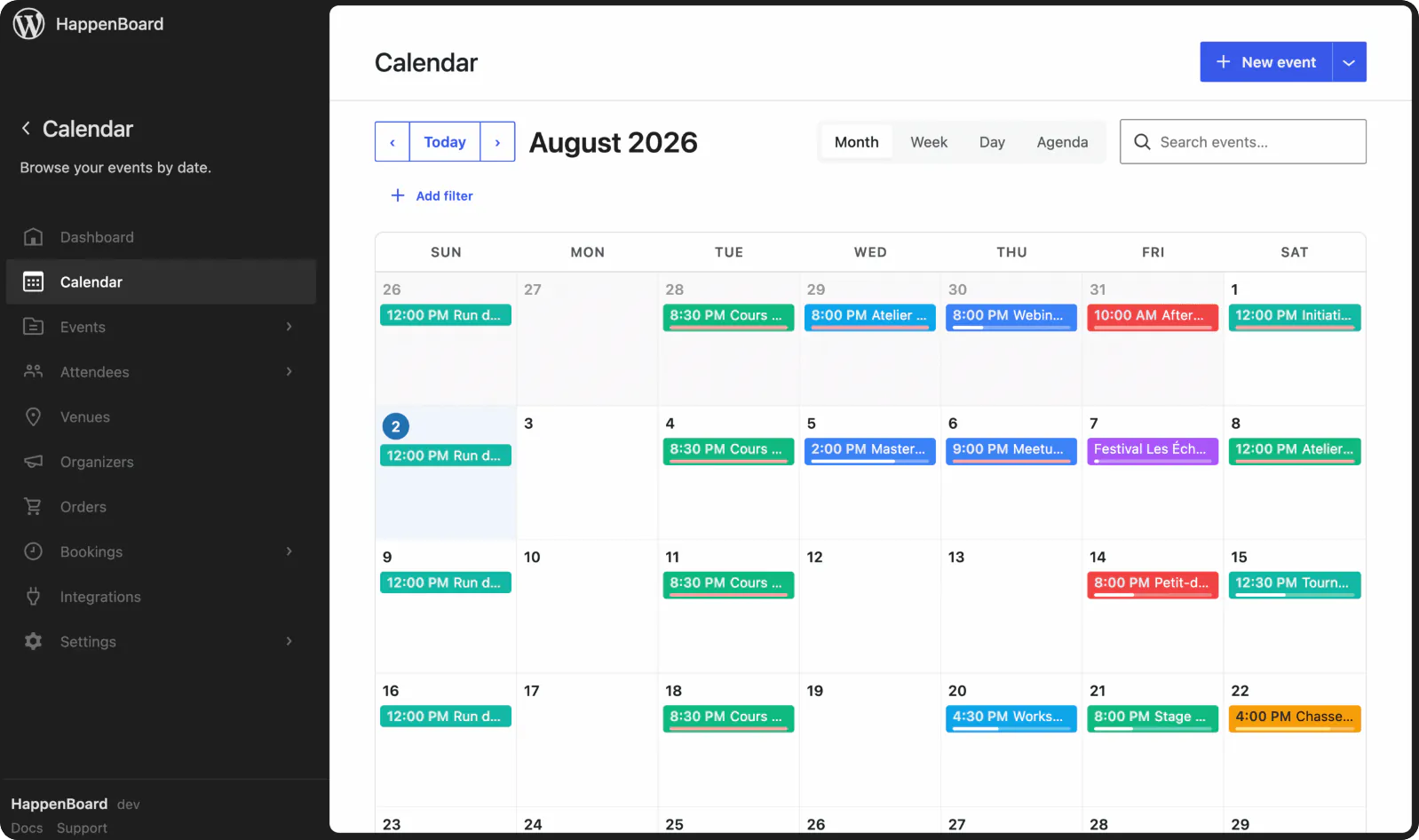
HappenBoard Free is built around blocks. It has 21 blocks (calendar, lists, grid, query loop, RSVP form, booking page and more), 8 Site Editor templates, 11 patterns and 8 Elementor widgets.
Events Manager pairs a few blocks with shortcodes and templates. Its WordPress.org page lists native blocks for the events calendar, events list and locations list, alongside shortcodes, widgets and template files.
Emails
Reminders and calendar files
A reminder cuts no-shows, and a calendar file puts the date in the attendee’s diary.
HappenBoard Free sends both. Reminders go out 24 hours before by default (from 1 to 168 hours), and the confirmation email carries an .ics file for the attendee’s date.
Events Manager includes them in Pro. Its Free vs Pro table lists automated email reminders and iCal email attachments as Pro features (checked on 16 October 2026).
Data
Import and export
Moving events in and out in bulk matters when you switch tools or share data.
HappenBoard Free imports and exports events. Events go out and come in as CSV, .ics files come in with their repeat rules, and attendees export to CSV, JSON or vCard.
Events Manager lists import and export in Pro Plus. Its Free vs Pro table places iCal, CSV, Excel, Google Calendar and Meetup imports in the Pro Plus plan; booking export to CSV is free.
Payments
Payment options
The gateways you can offer decide how your buyers pay.
HappenBoard Pro takes payment through Stripe or WooCommerce. The built-in path is a hosted Stripe Checkout page for cards; with WooCommerce, your store’s gateways, coupons and taxes apply.
Events Manager Pro lists more gateways. PayPal, Stripe, Square, Authorize.net, Xero and offline payments, plus coupons and PDF invoices. Its WooCommerce add-on is sold separately.
What you actually pay
What it costs to get each feature on one site, in US dollars, as listed on each plugin’s website on 16 October 2026.
| Usage | | Events Manager |
|---|---|---|
| Recurring events and bookings | $0, free plugin | $0, free plugin |
| Email reminders | $0, free plugin Best price | Pro, from $129 a year |
| Event import and export | $0, free plugin | Pro Plus, from $169 a year |
List prices for one site, in US dollars, as shown on wp-events-plugin.com on 16 October 2026. That day the page also showed a limited-time sale: $89 a year for Pro and $109 for Pro Plus. All plans are billed annually, and a renewal keeps the price you paid if you renew before the licence expires. HappenBoard Pro prices are on our pricing page.

Good to know
HappenBoard Free and Events Manager both cover recurring events and bookings at no cost. The gap is in what sits around them: reminders and imports are free in HappenBoard and paid in Events Manager. Paid tickets need a paid plan in both.
When Events Manager is the right choice

Visitors submit events for free
Events Manager’s free plugin includes front-end event submission and custom event fields. In HappenBoard, both are Pro features.

You want PayPal, Square or offline payment
Events Manager Pro takes PayPal, Square, Authorize.net, Xero and offline payments, and sends PDF invoices. HappenBoard Pro uses Stripe for cards, or WooCommerce.

Your events run on Zoom
Events Manager can create and manage Zoom meetings and webinars for your events. HappenBoard stores the meeting link you type in.
HappenBoard in numbers
21
server-rendered blocks
11
ready-made patterns
5
built-in importers
4
calendar views
8
Site Editor templates
How to migrate from Events Manager to HappenBoard
1
Install HappenBoard
Install and activate HappenBoard Free. You can deactivate Events Manager first: HappenBoard reads its events straight from the database.
2
Preview the import
Open HappenBoard → Settings → Migration (or step 3 of the setup wizard), check the counts found, then click Preview (dry run).
3
Migrate for real
Click Migrate for real. Events, locations, categories, bookings and Events Manager 7 repeat rules come across in batches of 50, and a second run skips what is already there.
4
Check, then redirect
Your events show in the calendar at once. Tickets, prices, tags and event attributes are not imported, and old addresses are not redirected, so add redirects in your SEO plugin.
You ask.
We answer.
We’re featured in





Can HappenBoard import my events from Events Manager?
Yes. It copies events, locations as venues, categories and bookings: approved bookings become going, those awaiting approval or payment waitlist, rejected or cancelled ones cancelled. Repeat rules come across from Events Manager 7.
Does Events Manager need to stay active during the import?
No. HappenBoard finds Events Manager’s data in the database, so you can deactivate the old plugin first. Run Preview (dry run) to see what will come across before you migrate.
Is appointment booking really free in HappenBoard?
Yes. Booking types, host availability, the booking page, self-service changes and reminders are in HappenBoard Free. Online payment by Stripe, deposits and price rules come with Pro.
Can HappenBoard take payments for tickets and bookings?
With HappenBoard Pro. Tickets are paid through Stripe Checkout or WooCommerce, and appointments can be paid in full or with a deposit through Stripe. HappenBoard Free records the price and shows pay on site.
Will my old event addresses keep working?
Not on their own. Imported events get new addresses built from their titles, under /events/ by default, and HappenBoard does not create redirects. Add redirects from the old addresses with your SEO or redirection plugin.
What happens if my HappenBoard Pro licence expires?
Every Pro feature keeps working. The licence key gives you automatic updates, security fixes included, and nothing else.
Works with






Turn your calendar into a box office
Sell tickets, take payments and check people in at the door.
Not the right fit? Your money back within 14 days.
Compare other tools with HappenBoard


Preview first, then import, even with the old plugin deactivated. Repeat rules from The Events Calendar, Events Manager 7 and Sugar Calendar come across, and you can export your events to CSV at any time.
Sources
The facts about Events Manager on this page come from its own pages, checked on 16 October 2026: